
Thanks to one of our wonderful retailers, here are some step-by-step instructions to help you import or 3D models into Virtual Worlds for your bathroom designs:
Step 1:
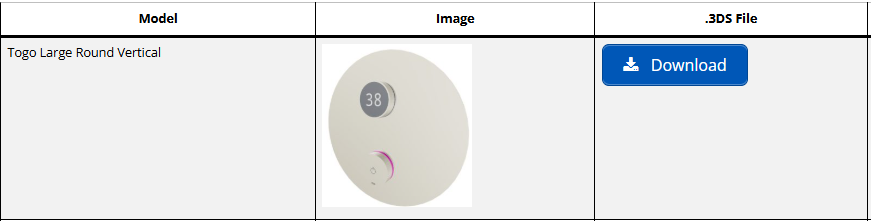
Select required product from download section.
Step 2 :
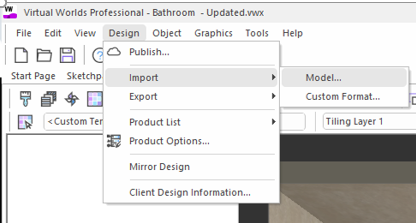
In virtual world select design, import, model.
Step 3:
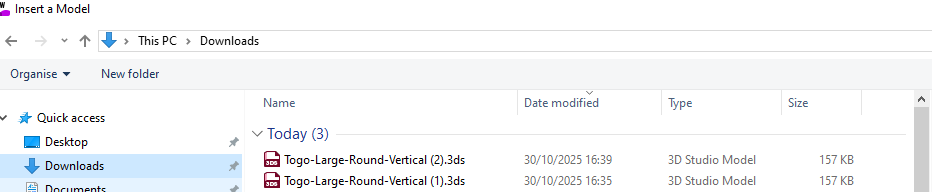
Select downloaded .3DS model
Step 4:
When selecting file amend scale to 0.01 & press open

Step 5:
The item is now in the room at the correct size, to alter the material/texture of the item download the finish of your choice from an alternative manufacturer.
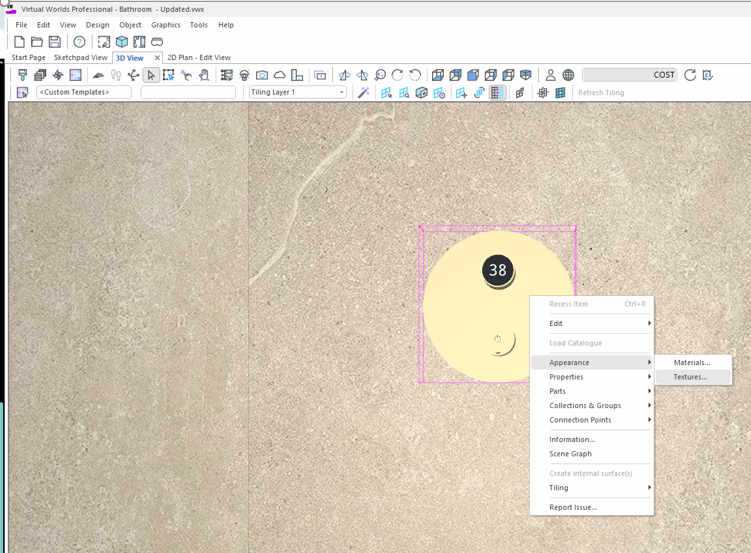
This will allow you to change the finish to any finish you require.
I hope this helps.
Give us a call if you need anything else!